Choosing The Right Chart For The Job
Whether you're in business, finance or in any field dealing with numbers and demographics, at some point you'll need tools to visualize data. There are various methods of making data clear, and depending on your data type, each method has its own merits. In this article, we'll be outlining some of the most common methods of visualizing data, and talking about the benefits of each. We'll also be going over different tools you can use to make charts, graphs, and more.
Scatter Plots
Scatter plots are a very common form of data visualization, and are used to show the relationship between two sets of data. Maybe you're a social media business trying to find out if there's a relationship between hockey events and usage of your platform. This business can use a scatter plot to see if there is any correlation between hockey events on television and the total number of users on their platform.
Scatter plots can be very useful for analyzing data and finding problems or details within seemingly trivial data sets that would otherwise go unnoticed. Making scatter plots isn't the most mentally challenging task, but it can be difficult to code them yourself. Certain data visualization products don't require coding whatsoever, and simply allow you to pick from a variety of available templates to easily input your data into.
Line Graphs
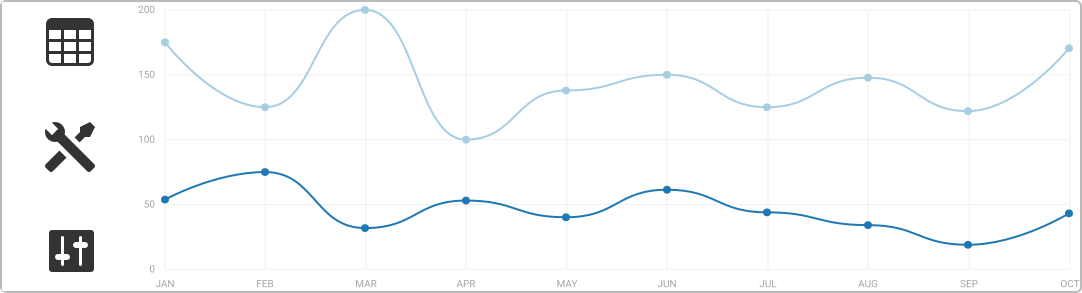
It's unlikely you've never seen a line graph. In fact, we're willing to bet you've even used one before. Line graphs are used commonly all of the time to show changes in data over a set period of time, and also to compare changes between different groups of data over a period of time.
Real-world examples of line graphs can be most easily visualized by picturing "the big presentation" scene from any movie ever. There's always a line graph showing profits over the last year, and the line is almost always going down - this indicates a downward trend in profits! Makes sense, right? Well, line graphs can be used for much more than just displaying profits - they can track users joining a network, compare which demographics interact with products or platforms the most over a series of time, and a whole heck of a lot of other stuff.
If you need to make a line graph, then just remember to make sure that you're putting time on the X axis of your graph, as otherwise, the data won't be displayed anywhere near correctly. We're sure we didn't need to tell you that, but if we did then we again recommend using a data visualization tool!
Timelines
Timelines are quite a simple and well-known method of visualizing data, and we're sure that you're familiar with them. Timelines can be used in more ways than displaying historical events, however. They can also be utilized to identify shifts in data over time by displaying different events that might be correlated. For example, a business might chart all of their product releases by month for a period of five years to identify during what times of year their products sell the best. This can be useful for a company that might have seasonal popularity, like a hot dog stand. It can also help out in arguments with your significant other - you can make a timeline to show how from your point of view of past events, you're not the one to blame!
We're just kidding around of course, but timelines themselves are no joke when it comes to making them yourself. If anything, they're boringly simplistic - however, making use of pre-existing templates is still the easiest method of making timelines, as it won't require anything more than choosing what kind of style you're looking for and then inputting your data.
Polar Area Diagrams
Polar area diagrams can be quite confusing to someone viewing them for the first time, but they're easy to figure out. You might make use of a such a diagram to see how data cycles over time. They look like pie charts, but they measure much more than a simple pie chart, and can be utilized to compare and display variations among data sets with arbitrary variables - in other words, they can be used to showcase sales over a set period of time, the demographics of people using your products, and more.
Polar area diagrams are known by many names, including rose charts, sunburst plot and coxcomb chart. However, we think they should be called just one thing: difficult to generate without a dedicated data visualization tool! Polar area diagrams require advanced coding skills that might be difficult to figure out for first-time data visualizers - this is why we strongly recommend making use of a data visualization tool.
Time Series
A time series can be a bit tricky to explain, but we'll do our best. To put it simply, time series are used to display a series of data points over time. Visualization can be used to predict future events and anticipate changes in data. These types of data sequences are often used in finance and the stock market, and are used to predict shifts and possible spikes in assets and shares. They're also used in science to analyze sun spots, ocean tides, rainfall, and much more.
Visualizing Data Yourself
When visualizing data for any purpose, we always encourage our readers to investigate the usage of a data visualization tool. Utilizing a tool like Explot.io can save you hours of headaches by outlining different ways of analyzing and visualizing your data in order to make necessary changes to your business, view your demographics, or whatever else is on your plate. This tool in particular not only simplifies data and makes it easy to understand, but it can help you interpret things you might not have otherwise noticed.
While you might think you know the ins and outs of data visualization, there's always a way to do things better.